

Getting a quick loan through your smartphone can seem convenient.
You download an app, enter a few details, and within minutes you may be promised money directly into your bank account.
Unfortunately, not every loan app is trustworthy.
Some fraudulent or non-compliant lending apps are designed to collect far more information than they need. Others may use aggressive recovery tactics, misleading charges, fake promises or unauthorized access to personal data.
In Nigeria, the Federal Competition and Consumer Protection Commission (FCCPC) has continued regulating and taking enforcement action against digital lenders. In January 2026, the Commission began enforcement against operators that had failed to regularize their status under the Digital, Electronic, Online and Non-Traditional Consumer Lending Regulations, 2025.
Before installing a loan app or giving it access to your phone, here are important warning signs you should check.
1. Check Whether the Lender Is Registered
This should be one of your first checks.
The FCCPC maintains lists of approved digital lending companies and applications operating under Nigeria’s digital-lending framework. It also maintains a watchlist containing apps that consumers should be cautious about.
Do not assume an app is legitimate simply because:
- It has a professional logo
- It advertises on social media
- Someone recommended it
- It promises instant approval
- It has thousands of downloads
Before borrowing, check the company’s name and the exact app name against the FCCPC’s official digital-lender information.
An approved company may also operate more than one lending app, so check the exact application name, not only the company name.
2. Be Extremely Careful With APK Loan Apps
One major warning sign is when a lender asks you to download an APK file from:
- Telegram
- A random website
- SMS
- A shortened link
- A social-media message
An APK is an Android installation file.
APK files themselves are not automatically dangerous, but installing financial applications from unknown sources removes many of the checks provided by official app stores.
The FCCPC has previously identified illegal lenders using APK files and unregistered websites to bypass restrictions and access consumer information.
If someone tells you:
“Our app is no longer on Play Store. Download it directly here.”
that deserves serious caution.
For financial applications, use official sources and verify the lender independently.
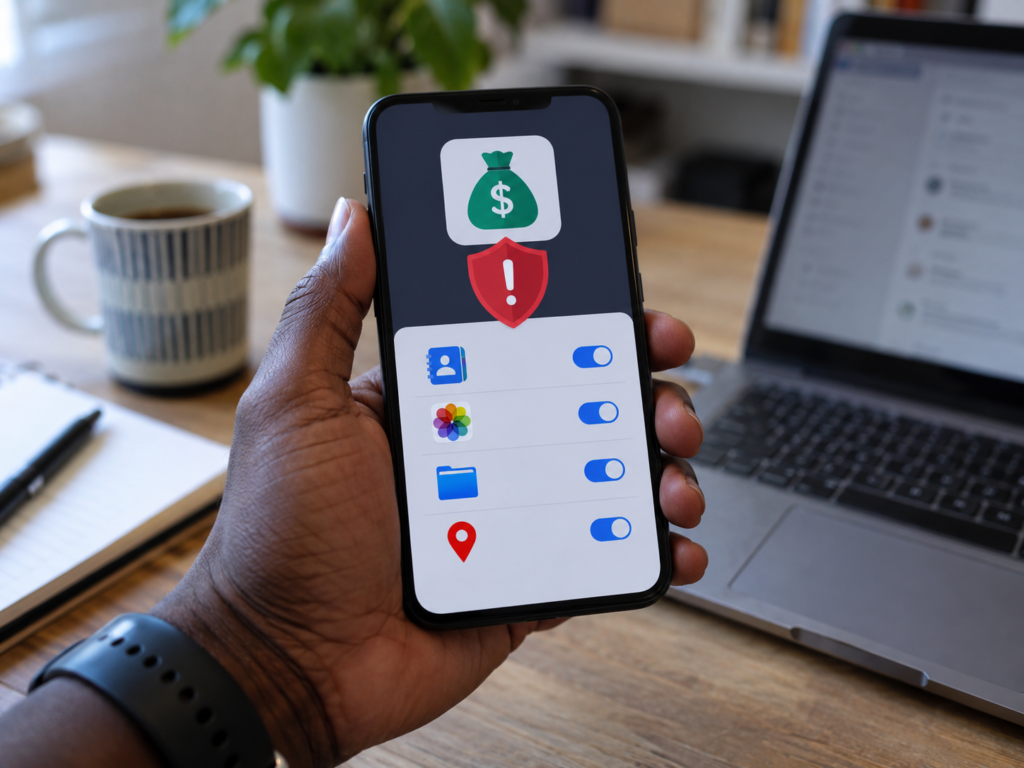
3. A Loan App Should Not Demand Access to Your Contacts
This is one of the most important warning signs.
Why would a personal loan app need your entire contact list?
Historically, some abusive lenders accessed borrowers’ contacts and later contacted friends, relatives or colleagues during debt collection.
Google Play’s current policy specifically prohibits personal-loan apps and similar credit apps from accessing sensitive permissions including READ_CONTACTS.
So if a loan application asks:
Allow access to all contacts?
you should stop and investigate.
A lending company should not need your entire address book simply to determine whether you qualify for a loan.
4. Be Suspicious If It Wants Access to Your Photos and Videos
Your gallery may contain:
- Family photographs
- Screenshots
- Identification documents
- Business information
- Personal conversations
- Financial screenshots
A lending app should not automatically have access to everything.
Google Play prohibits personal-loan applications from requesting broad access to photos, videos and external storage through several sensitive permissions.
If an app genuinely needs an identification image, modern phones can allow you to select a specific file without giving the app unlimited access to your gallery.
The difference is important.
Selecting one document is not the same as giving an app permission to browse every photograph on your phone.
5. Check the Permissions Before Installing
On Android, you can review an application’s permissions.
Depending on your phone, go to:
Settings → Apps → Select App → Permissions
Look carefully at what the application wants.
A loan app requesting unnecessary access to things such as:
- Contacts
- Photos
- Videos
- Precise location
- Phone numbers
- Files
should raise questions.
Google Play currently restricts personal-loan apps from requesting a number of these sensitive permissions, including contacts, precise location, phone numbers and broad media access.
Always ask:
Does this permission make sense for the service I am receiving?
If the answer is no, investigate before proceeding.
6. Check Whether the Company Clearly Explains the Loan Cost
A trustworthy lender should not hide the true cost of borrowing.
Before accepting a loan, you should be able to understand:
- Amount borrowed
- Interest rate
- Repayment date
- Total amount payable
- Processing fees
- Late-payment fees
- Other charges
Nigeria’s 2025 digital consumer-lending regulations require lenders to clearly disclose interest rates, repayment terms and associated fees before a transaction is completed.
Be cautious if an app says:
Borrow ₦50,000 instantly!
but does not clearly tell you how much you will repay.
You should know the total cost before accepting the loan, not after receiving it.
7. Beware of Unrealistic Loan Promises
Fraudulent advertisements often use exaggerated claims such as:
₦500,000 instantly — no verification!
Everyone is approved!
₦1 million in five minutes!
No documents required!
Zero interest guaranteed!
Fast approval is not automatically suspicious.
But extremely generous promises combined with almost no verification should make you careful.
Legitimate lenders normally perform some form of risk assessment before giving credit.
8. Watch Out for Upfront Payments
Be very careful if a lender says:
“Pay ₦5,000 registration fee before we release your ₦100,000 loan.”
or:
“Pay insurance before your loan can enter your account.”
A scammer may repeatedly invent new charges:
- Processing fee
- Verification fee
- Activation fee
- Insurance fee
- Withdrawal fee
- Account-upgrade fee
After you pay one fee, another appears.
Never send money simply because someone promises that a much larger loan will immediately follow.
Verify the company first.
9. Check the Developer Name
When downloading an app, examine the developer information.
Ask:
- Does the developer name match the lender?
- Is there an official website?
- Is there a privacy policy?
- Is there a legitimate customer-service address?
- Can you identify the company behind the app?
Scammers can copy:
- Logos
- Colors
- Company names
- App screenshots
A fake app might look almost identical to a genuine one.
Always check the developer, not just the icon.

10. Read the Privacy Policy
A financial app handles sensitive information.
It should have a clear privacy policy explaining:
- What data it collects
- Why it collects the data
- How the data is used
- Whether information is shared
- How long information is retained
- How users can exercise privacy rights
Google Play requires apps dealing with personal and sensitive information to disclose how that information is collected, used and shared.
A missing, extremely vague or copied privacy policy is a warning sign.
11. Be Careful With Loan Links Sent Through WhatsApp
You may receive messages saying:
“Congratulations! You qualify for ₦200,000.”
“Your loan has been approved.”
“Click here to claim your emergency loan.”
Even when you never applied.
Do not click automatically.
The link may lead to:
- A fake lending website
- Malware
- An APK download
- A phishing page
- A fake banking page
If you are interested in the lender, search for its official information independently instead of using the unsolicited link.
12. Don’t Trust Reviews Alone
App ratings can be useful, but they are not proof of legitimacy.
Fake reviews can be purchased or generated.
Look for patterns.
For example, be cautious if:
- Hundreds of reviews use almost identical wording
- Every review gives five stars with vague comments
- Recent users repeatedly complain about hidden charges
- Users report harassment
- Users report unauthorized deductions
- Users complain about privacy violations
Reviews should be only one part of your investigation.
13. Check the FCCPC Watchlist
Checking only whether an app appears in search results is not enough.
The FCCPC also maintains a watchlist of lending apps. Its current digital-lender page includes both approved operators and a watchlist of applications under regulatory concern.
This makes the FCCPC website one of the most useful places to check before taking a digital loan in Nigeria.
Remember that regulatory status can change.
An app that was previously available may later face enforcement action.
14. Avoid Loan Apps That Threaten Public Humiliation
Debt should be handled professionally.
Be extremely cautious about lenders whose recovery methods involve threats such as:
“We will message everybody in your contacts.”
“We will publish your photograph.”
“We will tell your employer you are a criminal.”
The FCCPC’s intervention in Nigeria’s digital-lending industry has historically focused heavily on privacy violations and abusive lending practices.
Borrowers must repay legitimate debts according to agreed terms, but debt recovery should not involve unlawful misuse of personal information.
15. Don’t Give Anyone Your Banking Password or OTP
A lender may legitimately need information to process a transaction.
But nobody should need your:
- ATM PIN
- Banking-app password
- Email password
- One-Time Password
- Debit-card PIN
Never send an OTP to a supposed loan officer through:
- SMS
- Telegram
- Phone call
An OTP can authorize financial activity.
Treat it like a key to your account.
16. Check the Interest Rate Carefully
Some loans look small until you calculate what you actually repay.
Imagine:
You receive ₦20,000.
You are told to repay ₦28,000 within a very short period.
Don’t focus only on receiving ₦20,000 today.
Ask:
What is the total cost of this loan?
Nigeria’s digital-lending regulations require transparent disclosure of rates, repayment terms and associated charges.
Compare offers before borrowing.
17. Don’t Borrow Because of Pressure
Some lending advertisements are designed to make people act emotionally.
Examples:
Offer expires in 10 minutes!
Only 3 loans remaining!
Borrow immediately before your eligibility disappears!
Borrowing money should be a financial decision, not an impulse purchase.
Before accepting a loan, calculate whether you can realistically repay it.
How Fake Loan Apps Can Harm You
A dangerous loan application may cause more damage than simply charging high interest.
It may expose you to:
Identity theft
Personal information can potentially be misused to impersonate you.
Financial fraud
Stolen credentials may put your financial accounts at risk.
Privacy invasion
Sensitive information could be accessed without proper justification.
Harassment
Your personal information may be misused during debt collection.
Malware
A malicious APK may contain software designed to compromise your device.
Unexpected financial losses
Hidden charges or fraudulent payments can cost you money.
That is why app permissions matter.
What Information Does a Legitimate Lender Actually Need?
The exact requirements vary by institution, but a lender may legitimately request information needed to:
- Identify you
- Assess creditworthiness
- Verify your identity
- Send approved funds
- Collect agreed repayments
However, requesting information does not mean the lender should have unlimited access to your smartphone.
There is a major difference between asking you to upload an identification document and requesting unrestricted access to your:
contacts + gallery + phone numbers + location + storage.
Always consider whether the information requested is reasonably connected to providing the loan.
Before Installing a Loan App, Use This Checklist
Ask yourself:
Is the lender listed by the FCCPC or otherwise appropriately regulated?
Am I downloading it from a trustworthy source?
Does it request access to contacts?
Does it request unnecessary gallery access?
Does it demand precise location without a clear reason?
Does it clearly disclose interest and fees?
Is there a real company behind the application?
Does it have a proper privacy policy?
Are there credible complaints about harassment?
Is anyone asking me for an upfront payment?
If several answers make you uncomfortable, do not rush.
What If You Already Installed a Suspicious Loan App?
Act quickly.
1. Review its permissions
Go to:
Settings → Apps → App Name → Permissions
Remove unnecessary permissions.
2. Uninstall the app
If you believe the application is malicious or illegitimate, remove it.
3. Change important passwords
If you entered sensitive login credentials into a suspicious app or website, change affected passwords.
Prioritize:
- Banking
- Financial accounts
4. Contact your bank if necessary
If you shared banking information or notice unauthorized transactions, contact your financial institution immediately.
5. Keep evidence
Save:
- Screenshots
- Messages
- Payment receipts
- Phone numbers
- App name
- Developer information
- Transaction references
This information may be useful when reporting the matter.
How to Report a Suspicious Loan App in Nigeria
Complaints relating to digital lenders can be reported to the Federal Competition and Consumer Protection Commission.
The FCCPC has continued investigating digital lenders and enforcing Nigeria’s consumer-lending rules.
If your personal information has been misused, you may also report privacy violations to the Nigeria Data Protection Commission.
The NDPC provides an official privacy-breach reporting channel and mechanisms for individuals to exercise rights relating to their personal information.
You can also report suspicious applications through the relevant app store.
Why Google Play Is Restricting Loan-App Permissions
The privacy problem around digital lending is not unique to Nigeria.
Google Play has introduced strict rules for personal-loan applications.
Current policy prohibits these apps from accessing several categories of sensitive information, including:
- Contacts
- Photos
- Videos
- Precise location
- Phone numbers
- Broad external storage
This is an important principle:
A lender should assess whether you can repay a loan—not explore your entire digital life.
Don’t Confuse Quick Loans With Free Money
Digital lending can be useful.
Someone may need short-term credit for:
- Business expenses
- Education
- Emergency repairs
- Medical costs
- Other legitimate needs
But every loan creates an obligation.
Before borrowing, ask:
How much am I receiving?
How much will I repay?
When is repayment due?
What happens if I pay late?
Can I comfortably repay without borrowing from another app?
Borrowing from one loan app to repay another can quickly create a dangerous debt cycle.
Final Thoughts
Loan apps have made credit easier to access.
But convenience should never make you careless with your personal data.
Before installing any digital-lending application:
Verify the lender.
Check the permissions.
Read the terms.
Understand the repayment cost.
Protect your OTP and passwords.
Avoid suspicious APK downloads.
Never rush because of an advertisement.
Your personal information can be more valuable than the loan you are trying to obtain.
Once sensitive data leaves your control, recovering it may be difficult.
At Cyberhub ICT, we believe financial technology should make life easier—not expose users to unnecessary cybersecurity and privacy risks.
Borrow carefully. Check permissions. Protect your data.
About Cyberhub ICT
Cyberhub ICT Center provides ICT training and technology services including:
- Internet & Cyber Security
- Web Design & Blogging
- Digital Marketing
- Desktop Publishing
- Graphics Design
- Social Media Management
- Content Creation
- Forex Trading Training
For more cybersecurity awareness, smartphone tips and practical technology guides, follow Cyberhub ICT.
Website: cyberhubict.online
Email: cyberhubict@gmail.com
Phone: 08061601662
Frequently Asked Questions
How can I know whether a loan app is legitimate in Nigeria?
Check the exact lender and app name against the FCCPC’s official digital-lender information and watchlist.
Should a loan app access my contacts?
Personal-loan apps distributed through Google Play are currently prohibited from requesting access to contacts.
Should a loan app access all my photos?
Broad photo and video permissions are restricted for personal-loan apps on Google Play. Where an identification image is genuinely required, a more limited file-selection method can be used.
Is every loan app on Play Store safe?
Being available in an official store is useful, but it should not be your only check. Verify the lender’s regulatory status, permissions, privacy policy, loan terms and developer information.
Should I download a loan APK from WhatsApp?
Be very cautious. The FCCPC has previously identified illegal lenders using APK distribution to circumvent regulatory controls.
Can a loan app hide its fees?
Nigeria’s digital consumer-lending regulations require lenders to disclose interest rates, repayment terms and associated charges clearly before the transaction is completed.
Where can I report misuse of my personal data?
Nigeria’s Data Protection Commission provides mechanisms for reporting privacy breaches and exercising data-protection rights.

Nice topic sir
Most people have problems with this so thank for educating us for this