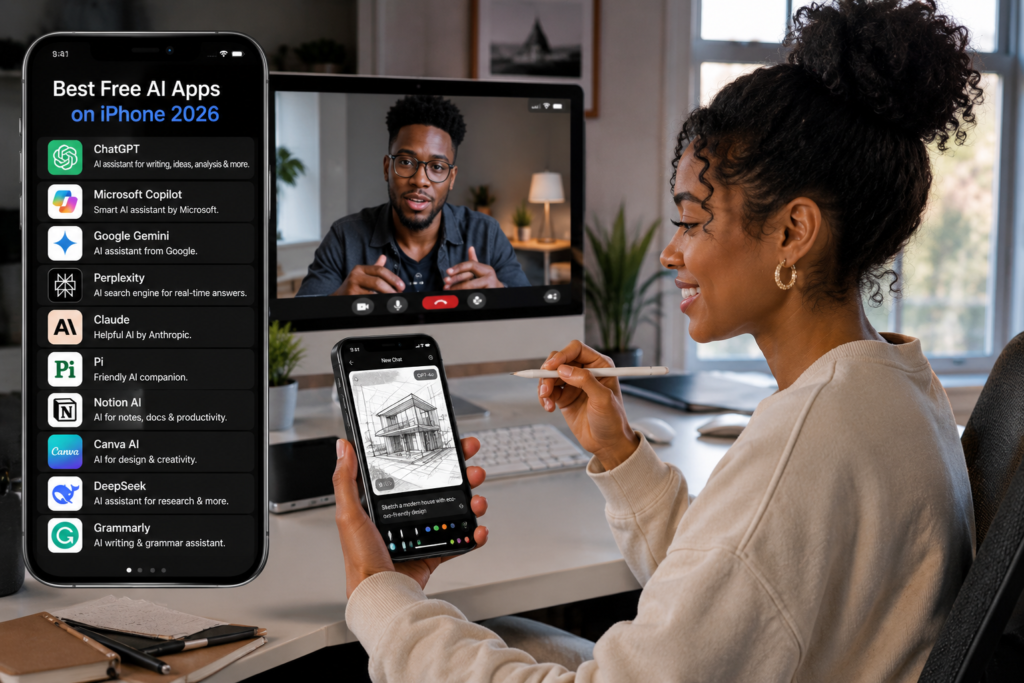
Best Free AI Apps for iPhone Users
Artificial Intelligence is no longer a futuristic concept—it’s now part of everyday life. Whether you’re a student, entrepreneur, content creator, remote worker, or business professional, AI apps can help you work smarter, save time, and boost productivity.
The good news? Many powerful AI apps are completely free to use on iPhone.
In this guide, we’ll explore the best free AI apps for iPhone users in 2026 and explain how they can improve your daily activities.
Why AI Apps Are Becoming Essential
AI-powered apps can help users:
✅ Write faster
✅ Learn new skills
✅ Create content
✅ Edit photos
✅ Manage tasks
✅ Translate languages
✅ Generate ideas
✅ Improve productivity
The right AI apps can save hours every week.
1. ChatGPT
Best For:
Writing, Research, Learning, and Productivity
ChatGPT remains one of the most useful AI apps available.
You can use it to:
- Write emails
- Generate blog ideas
- Summarize articles
- Create social media content
- Learn new topics
- Solve problems
Why Users Love It
✔ Easy to use
✔ Powerful AI assistance
✔ Free version available
✔ Excellent for students and professionals
2. Microsoft Copilot
Best For:
Work and Business Productivity
Microsoft Copilot integrates AI into everyday work tasks.
Features include:
- Document drafting
- Research assistance
- Email generation
- Data analysis
- Business planning
It’s especially useful for Microsoft Office users.
3. Google Gemini
Best For:
AI Search and Learning
Google Gemini provides:
- Intelligent answers
- Content generation
- Image understanding
- Research support
- Productivity assistance
Its integration with Google’s ecosystem makes it highly useful.
4. Canva AI
Best For:
Graphic Design
Canva AI helps users create:
- Social media graphics
- Flyers
- Business cards
- Presentations
- Marketing materials
AI features can generate designs automatically in seconds.
5. Grammarly Keyboard
Best For:
Writing Better Content
Grammarly improves:
- Emails
- Reports
- Blog posts
- Assignments
- Social media content
Features
- Grammar correction
- Tone suggestions
- Sentence rewriting
- AI writing assistance
Perfect for professionals and students.
6. Perplexity AI
Best For:
Research and Fact Finding
Perplexity AI has become one of the fastest-growing AI tools.
Benefits include:
- Accurate answers
- Source citations
- Research summaries
- Real-time information
Excellent for students and researchers.
7. Otter AI
Best For:
Meeting Notes
Otter AI automatically records and transcribes conversations.
Useful for:
- Meetings
- Interviews
- Lectures
- Business discussions
The AI generates searchable notes instantly.
8. Adobe Express AI

Best For:
Content Creation
Adobe Express helps users create:
- Social media content
- Marketing materials
- Promotional graphics
- Business presentations
AI tools simplify design work for beginners.
9. Photomath
Best For:
Math Assistance
Photomath uses AI to solve mathematical problems.
Simply:
- Open the app
- Point your camera at a problem
- Receive a detailed solution
Excellent for students.
10. Notion AI
Best For:
Productivity and Organization
Notion AI assists with:
- Note-taking
- Task management
- Project planning
- Content creation
- Workflow organization
Ideal for entrepreneurs and remote workers.
11. Duolingo Max AI
Best For:
Language Learning
Duolingo uses AI to create personalized language lessons.
Learn:
- English
- French
- Spanish
- German
- Many other languages
The app adapts to your learning pace.
12. ELSA Speak
Best For:
English Pronunciation
ELSA Speak uses AI to analyze pronunciation and improve speaking skills.
Popular among:
- Students
- Job seekers
- Professionals
- International learners
13. Lensa AI
Best For:
Photo Enhancement
Lensa AI helps users:
- Improve portraits
- Remove backgrounds
- Enhance images
- Create AI-powered edits
A favorite among content creators.
14. Socratic
Best For:
Homework Help
Powered by Google AI, Socratic assists students by explaining:
- Science
- Mathematics
- Literature
- History
- Geography
It turns your iPhone camera into a smart learning assistant.
15. Bing Image Creator
Best For:
AI Image Generation
Create unique images from simple text prompts.
Examples:
- Marketing graphics
- Blog illustrations
- Social media content
- Creative artwork
A useful tool for content creators and marketers.
Best Free AI Apps Comparison Table
| App | Best For |
|---|---|
| ChatGPT | Writing & Productivity |
| Gemini | Research & Learning |
| Copilot | Business Tasks |
| Canva AI | Graphic Design |
| Grammarly | Writing Improvement |
| Perplexity AI | Research |
| Otter AI | Transcription |
| Notion AI | Organization |
| Photomath | Mathematics |
| Duolingo | Language Learning |
| ELSA Speak | Pronunciation |
| Lensa AI | Photo Editing |
| Socratic | Education |
| Bing Image Creator | AI Art |
Tips for Using AI Apps Safely
Verify Important Information
Always cross-check critical information generated by AI.
Protect Sensitive Data
Avoid sharing passwords, financial information, or confidential business data.
Use Multiple AI Tools
Different apps excel at different tasks.
Keep Apps Updated
Updates often improve performance and security.
Frequently Asked Questions (FAQ)
Are AI apps free on iPhone?
Many offer free plans, while some provide optional premium features.
Which AI app is best overall?
ChatGPT remains one of the most versatile AI applications available.
Can AI apps improve productivity?
Yes. AI tools can automate tasks, generate content, and assist with research.
Which AI app is best for students?
ChatGPT, Photomath, Socratic, and Perplexity AI are excellent choices.
Are AI apps safe?
Most reputable AI apps are safe when used responsibly and updated regularly.
Conclusion
AI apps are transforming how iPhone users work, learn, communicate, and create content. Whether you’re managing a business, studying for exams, creating marketing materials, or simply improving productivity, these free AI tools can make your life easier.
Start with ChatGPT, Gemini, Canva AI, and Grammarly, then explore additional apps that fit your specific needs.
