
Introduction
Building a productive work-from-home setup does not have to cost thousands of dollars.
Today, students, freelancers, remote workers, and content creators can create comfortable and professional home office spaces on affordable budgets.
With the right combination of:
- Budget laptops
- Affordable desks
- Ergonomic accessories
- Productivity tools
- Proper lighting
You can significantly improve productivity and comfort without overspending.
In this guide, we’ll explore some of the best work-from-home setups under $500 for beginners and professionals in 2026.
Why a Good Work From Home Setup Matters
A proper setup improves:
✅ Productivity
✅ Comfort
✅ Focus
✅ Video call quality
✅ Work efficiency
Even simple upgrades can make remote work more enjoyable and professional.
What You Can Realistically Build Under $500
A smart budget setup can include:
| Item | Estimated Budget |
|---|---|
| Laptop or PC | $250 – $350 |
| Desk | $50 – $100 |
| Chair | $50 – $80 |
| Keyboard & Mouse | $20 – $40 |
| Lighting | $10 – $30 |
| Headphones | $20 – $50 |
1. The Beginner Freelancer Setup
This setup is ideal for:
- Content writers
- Virtual assistants
- Students
- Beginner freelancers
Recommended Setup
Laptop
- Budget Intel Core i5 laptop
- 8GB RAM
- SSD storage preferred
Accessories
- Compact desk
- Wireless mouse
- Affordable office chair
- LED desk lamp
Estimated Total Cost
💲Approximately $350 – $450
Best For
✅ Writing
✅ Research
✅ Social media work
✅ Online classes
2. The Content Creator Setup
Perfect for:
- YouTubers
- Bloggers
- Graphic designers
- Social media creators
Recommended Equipment
Laptop
- Mid-range laptop with good graphics support
Accessories
- Ring light
- USB microphone
- Basic webcam
- External storage drive
Recommended Tools
- Canva
- Adobe Express
- CapCut
Estimated Cost
💲Approximately $450 – $500
3. The Minimalist Remote Work Setup
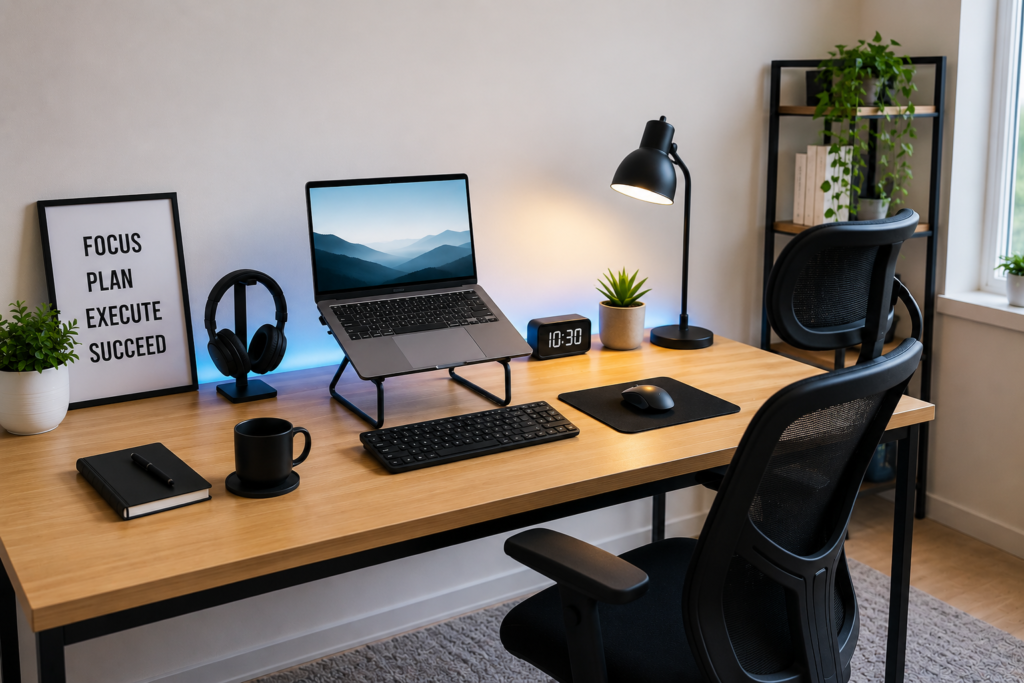
Some remote workers prefer clean and simple workspaces.
Key Features
- Minimal desk clutter
- Compact workspace
- Comfortable chair
- Neutral lighting
Why It Works
Minimal setups reduce distractions and improve focus.
4. The AI-Powered Productivity Setup
AI tools can boost remote productivity even with affordable equipment.
Recommended AI Tools
OpenAI ChatGPT
Useful for:
- Writing
- Research
- Brainstorming
- Productivity
Grammarly
Improves:
- Writing quality
- Professional communication
Notion
Useful for:
- Organization
- Task management
- Project planning
5. Essential Accessories Worth Buying
Affordable accessories can dramatically improve your workspace.
Recommended Accessories
| Accessory | Why It Matters |
|---|---|
| Laptop stand | Improves posture |
| Wireless mouse | Better comfort |
| LED lighting | Better video calls |
| Noise-canceling headphones | Better focus |
| USB hub | More connectivity |
| Cable organizers | Cleaner workspace |
6. Best Budget Desks for Remote Work
Your desk affects comfort and productivity.
Good Desk Features
✅ Enough workspace
✅ Comfortable height
✅ Cable management
✅ Strong stability
Budget-Friendly Options
- Folding desks
- Compact office desks
- Wall-mounted desks
7. Choosing the Right Chair
A good chair is one of the most important remote work investments.
Features to Look For
- Lumbar support
- Adjustable height
- Comfortable cushioning
- Breathable material
Why It Matters
Poor seating can cause:
- Back pain
- Fatigue
- Reduced productivity
8. Lighting Setup Tips
Proper lighting improves both comfort and professionalism.
Best Affordable Lighting Options
- Ring lights
- LED desk lamps
- Soft white lighting
Ideal For
- Zoom calls
- YouTube videos
- Online meetings
9. Internet & Connectivity Setup
Reliable internet is essential for remote work success.
Basic Recommendations
✅ Stable Wi-Fi
✅ Backup mobile hotspot
✅ Surge protector
10. Workspace Organization Tips
A clean workspace improves concentration.
Simple Organization Ideas
- Use cable organizers
- Keep only essentials on desk
- Add small plants for aesthetics
- Reduce visual distractions
Best Budget Setup by User Type
| User Type | Recommended Budget |
|---|---|
| Student | $250 – $350 |
| Freelancer | $350 – $450 |
| Content Creator | $450 – $500 |
| Remote Employee | $400 – $500 |
Common Mistakes to Avoid
Overspending on Unnecessary Gadgets
Focus on essentials first.
Ignoring Ergonomics
Comfort matters for long work sessions.
Poor Lighting
Bad lighting affects productivity and video quality.
Buying Extremely Cheap Chairs
Cheap chairs may reduce comfort long-term.
Cluttered Workspaces
Too much clutter reduces focus.
Frequently Asked Questions (FAQ)
Can I build a good remote setup under $500?
Yes. Smart budgeting can create a productive setup without overspending.
What is the most important part of a home office setup?
A reliable laptop, comfortable chair, and stable internet are essential.
Are expensive setups necessary for freelancing?
No. Many successful freelancers started with affordable setups.
Which accessories improve productivity most?
Good lighting, ergonomic seating, and external keyboards help significantly.
Can students use these setups too?
Yes. These setups work well for students, freelancers, and remote employees.
Conclusion
You don’t need an expensive office to work productively from home.
With proper planning and smart budgeting, it’s possible to build a clean, comfortable, and professional remote work setup under $500.
The key is focusing on essential tools that improve productivity, comfort, and workflow rather than chasing unnecessary gadgets.
As remote work continues growing globally, affordable home office setups will remain valuable investments for freelancers, students, content creators, and online professionals.
Suggested Internal Links
- Remote Work Tools Every Freelancer Needs
- Best Remote Jobs for Beginners
- How to Build a Remote Career Without a Degree
- How to Use AI to Make Money Online
