Introduction
Remote freelancing has become one of the fastest-growing ways to work online.
Today, freelancers can work with clients globally without needing a physical office. However, success in remote work depends heavily on using the right tools.
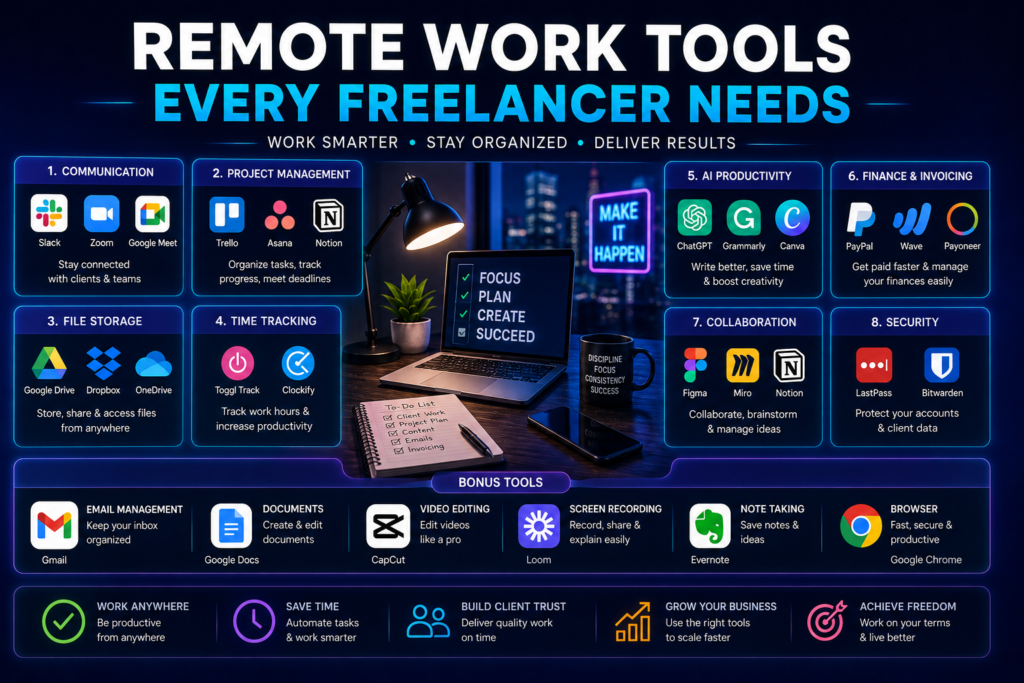
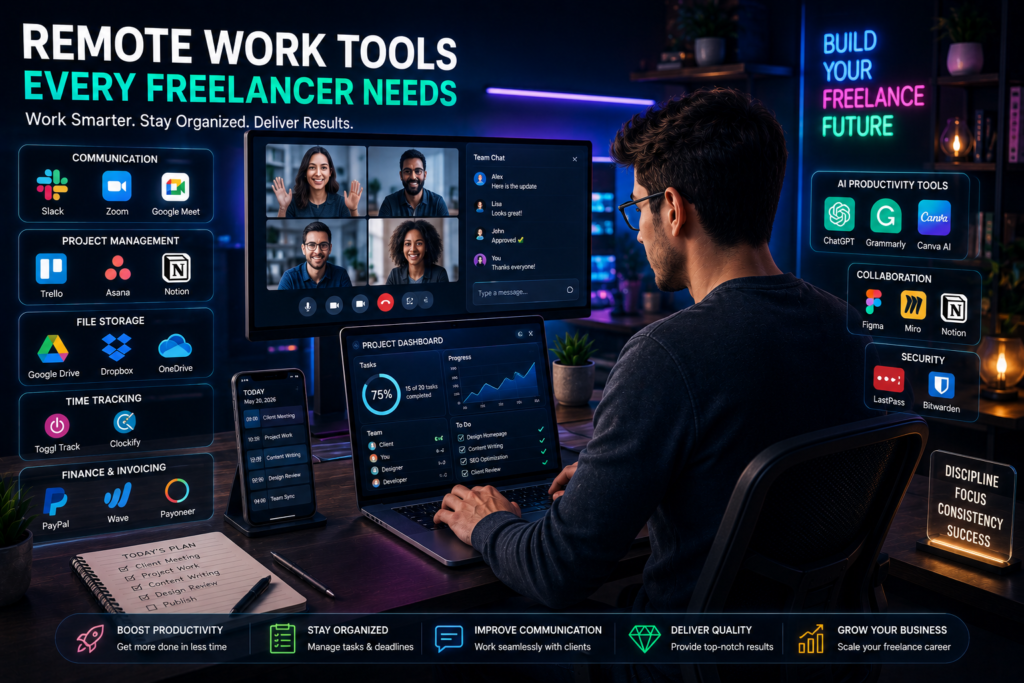
From communication and project management to file sharing and productivity tracking, modern remote work tools help freelancers stay organized, efficient, and professional.
Whether you’re a writer, designer, virtual assistant, developer, marketer, or content creator, these tools can significantly improve your workflow and client management.
In this guide, we’ll explore the most important remote work tools every freelancer needs in 2026.
Why Remote Work Tools Matter
Freelancers often manage multiple tasks at once, including:
- Client communication
- File sharing
- Project tracking
- Time management
- Online meetings
- Invoicing
- Content creation
The right tools help freelancers:
✅ Stay productive
✅ Meet deadlines
✅ Improve communication
✅ Work professionally
✅ Save time
1. Communication Tools
Good communication is essential for remote freelancers.
Clients expect quick responses, clear updates, and professional interaction.
Best Communication Tools
Zoom
Excellent for:
- Video meetings
- Client consultations
- Screen sharing
- Online collaboration
Slack
Perfect for:
- Team communication
- Quick messaging
- Project discussions
- Organized channels
Google Meet
Useful for:
- Online meetings
- Easy scheduling
- Browser-based calls
2. Project Management Tools
Freelancers need organized systems for tracking tasks and deadlines.
Top Project Management Platforms
Trello
Great for:
- Task boards
- Workflow organization
- Simple project tracking
Notion
Useful for:
- Notes
- Project planning
- Content calendars
- Knowledge management
Asana
Best for:
- Team projects
- Client collaboration
- Task assignments
3. Cloud Storage & File Sharing Tools
Freelancers constantly exchange files with clients.
Reliable cloud storage is essential.
Recommended Tools
Google Drive
Ideal for:
- Document storage
- Easy file sharing
- Collaborative editing
Dropbox
Useful for:
- Large file transfers
- Backup storage
- Client file organization
Microsoft OneDrive
Best for:
- Microsoft Office integration
- Secure storage
- Team collaboration
4. Time Tracking Tools
Freelancers often charge clients hourly.
Time tracking helps improve productivity and accurate billing.
Best Time Tracking Tools
Toggl
Features include:
- Work hour tracking
- Productivity monitoring
- Project reports
Clockify
Popular because it offers generous free features.
Benefits
✅ Better time management
✅ Accurate invoices
✅ Productivity insights
5. AI Productivity Tools
AI tools now help freelancers work faster and smarter.
Recommended AI Tools
OpenAI ChatGPT
Useful for:
- Writing assistance
- Brainstorming
- Research
- Client communication drafts
Grammarly
Helps improve:
- Grammar
- Clarity
- Professional writing tone
Canva AI
Perfect for:
- Social media graphics
- Presentations
- Client visuals
- Marketing materials
6. Financial & Invoicing Tools
Freelancers need professional payment systems and invoicing tools.
Useful Platforms
PayPal
Popular for:
- International payments
- Freelance transactions
- Online invoicing
Payoneer
Widely used by freelancers worldwide.
Wave Accounting
Good for:
- Simple invoicing
- Expense tracking
- Financial organization
7. Password & Security Tools
Freelancers handle sensitive client information regularly.
Security tools are important.
Recommended Security Tools
LastPass
Helps manage passwords securely.
Bitwarden
Popular open-source password manager.
Why Security Matters
✅ Protects client data
✅ Prevents account breaches
✅ Improves online safety
8. Collaboration Tools
Freelancers often collaborate with clients or teams remotely.
Best Collaboration Platforms
Figma
Excellent for:
- UI/UX design
- Real-time collaboration
- Design feedback
Miro
Useful for:
- Brainstorming
- Visual planning
- Team collaboration
9. Video Editing & Content Tools
Content creators and marketers need creative tools.
Recommended Platforms
CapCut
Popular for:
- Short-form video editing
- TikTok/Reels content
- Beginner-friendly editing
Adobe Express
Useful for:
- Quick graphic editing
- Social media visuals
- Video content
10. Freelancer Job Platforms
Freelancers also need platforms to find clients.
Popular Freelance Platforms
| Platform | Best For |
|---|---|
| Upwork | Professional freelancing |
| Fiverr | Beginner freelance gigs |
| Freelancer | Project-based work |
| PeoplePerHour | Remote freelance jobs |
| Professional networking |
Tips for Choosing the Right Remote Work Tools
Avoid Tool Overload
Using too many tools can reduce productivity.
Choose only what you truly need.
Start With Free Versions
Many platforms offer free plans suitable for beginners.
Prioritize Simplicity
Simple workflows improve consistency and productivity.
Focus on Security
Protect client files and communication channels.
Invest Gradually
Upgrade to premium tools only when necessary.
Frequently Asked Questions (FAQ)
What tools do freelancers need most?
Communication, project management, file sharing, and productivity tools are essential.
Are free remote work tools enough?
Yes. Many freelancers start successfully using free plans before upgrading.
Which remote work tool is best for beginners?
Trello, Canva, Google Drive, and ChatGPT are beginner-friendly options.
Can AI tools help freelancers?
Yes. AI tools improve productivity, content creation, communication, and workflow automation.
Do freelancers need time tracking software?
If charging hourly or managing multiple projects, time tracking tools are very useful.
Conclusion
Remote freelancing is becoming more competitive, and using the right tools can make a major difference in productivity and professionalism.
From communication and project management to AI productivity and cloud storage, modern remote work tools help freelancers stay organized and deliver better results to clients.
The good news is that many of these tools offer free versions, making it easier for beginners to start building successful freelance careers online.
As remote work continues expanding globally, mastering these tools will become even more important for freelancers who want to grow and succeed in the digital economy.
Suggested Internal Links
- Best Remote Jobs for Beginners
- How to Use AI to Make Money Online
- Top AI Chrome Extensions Everyone Should Try
- AI Side Hustles Beginners Can Start Today
